
Time-Saving Tips for Interior Designers
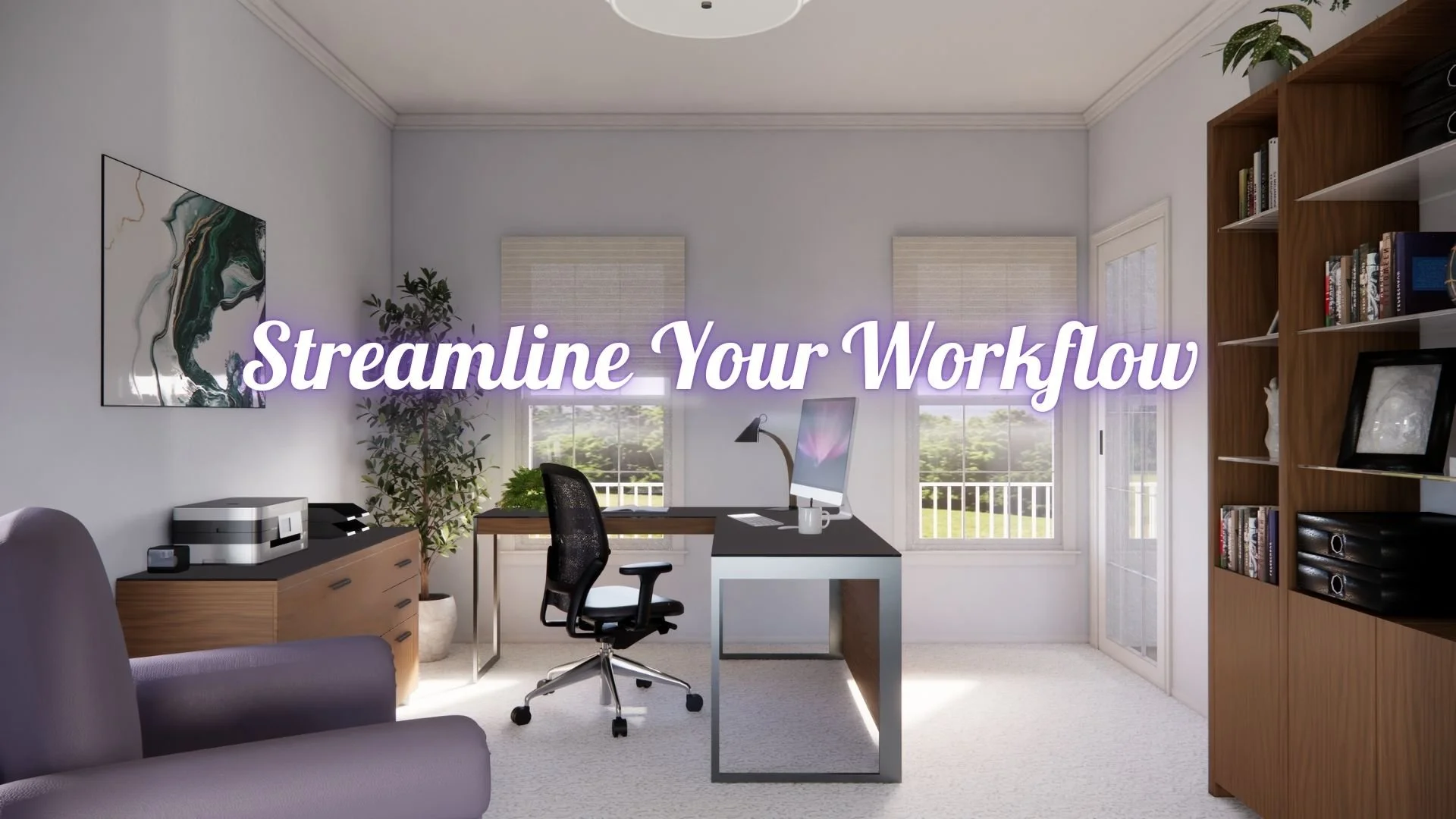
Photorealistic Rendering of a home office
Feeling Overwhelmed? How Workflow Challenges Steal Your Creative Time
If you’ve ever found yourself drowning in client revisions at 10 p.m., toggling between drafting software, presentation slides, and email threads, you’re not alone. Interior design is a creative career, but the interior design workflow that supports it can feel anything but creative. Hours disappear into floor plans, elevations, render updates, and presentation prep—leaving little time for big-picture thinking or the parts of the job you actually love.
That’s where a Virtual Design Assistant can make all the difference. By taking on the technical, repetitive, and time-consuming tasks in your process, you can regain your time, reduce stress, and focus on what truly moves your projects forward: your creativity, your clients, and your vision.
Everyday Tasks That Drain Your Time and Energy
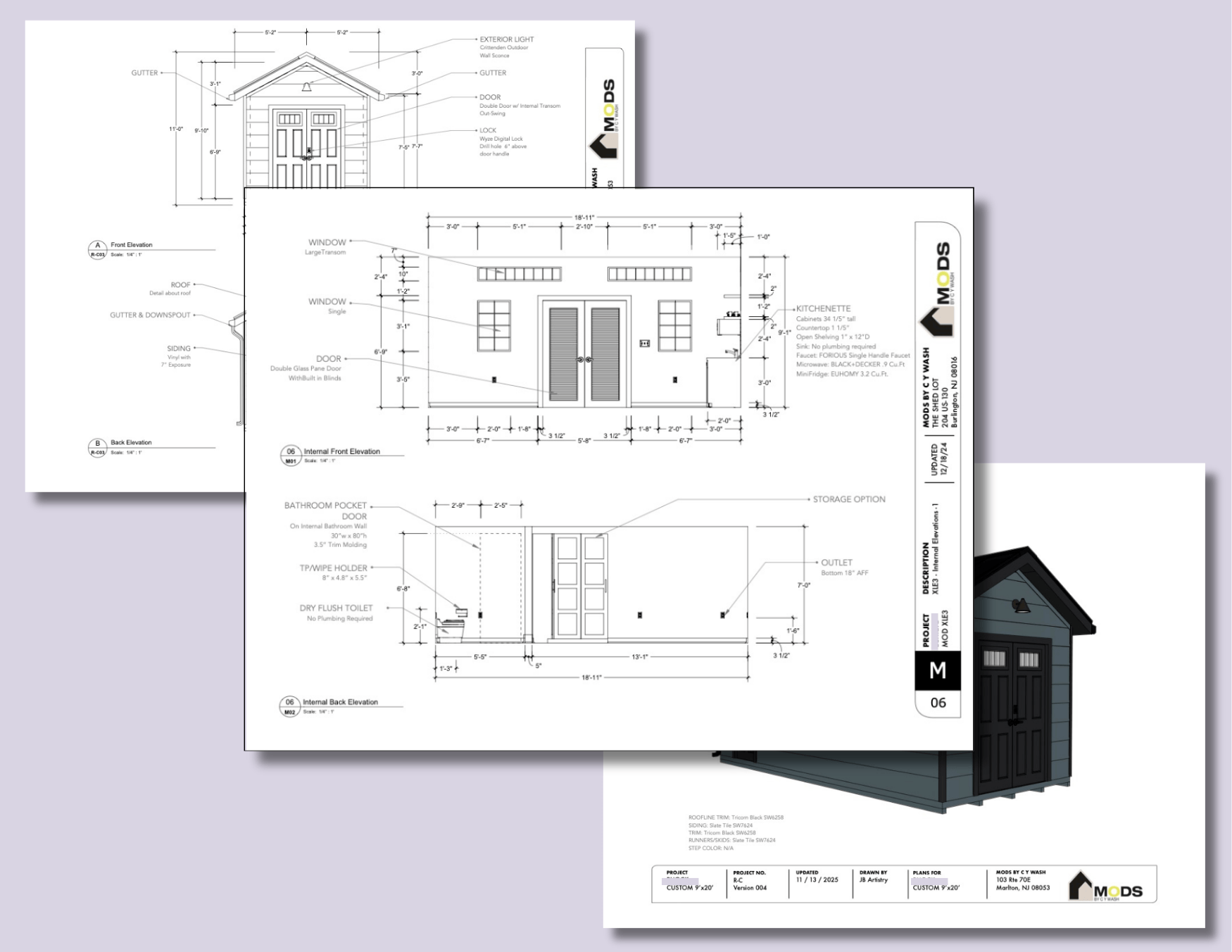
We’ve all stayed up past midnight aligning furniture in Photoshop, thinking to ourselves “There’s got to be a better way!” When you spend too many hours of your day (and let's admit it - your night, too) fighting with tedious software you don’t enjoy or understand, and doing repetitive tasks that make your eyes cross, your inspiration and joy in your work gets lost too. It’s increasingly difficult to stay focused and motivated on your job when the tedious tasks take over, it’s hard to maintain design efficiency and stay motivated.
These are some of the most common complaints that I hear from interior designers who are frustrated with their jobs:
The software needed to create compelling visuals is hard to learn or too confusing - thus taking up too much time that would be better spent on other tasks.
Clients making changes means too much extra work to redo plans/elevations/design boards
Keeping the project organized is difficult, especially when there are multiple revisions required to documentations and presentation images
Creating 3D models or Renderings is too time consuming - they resort to finding or creating imagery that is “close” but not exactly right, thus sacrificing on offering clients realistic understanding of the project
When these difficulties become frustrating enough that you are no longer enjoying your job, it might be time to find some realistic solutions to improve your interior design productivity.
Streamline Design Projects with These Tips
There are a lot of things that you can do to streamline your own design processes and keep you and your projects on task and on time.
Create Templates for repetitive tasks design tasks - If you find that you are always creating the same type of image, or document, make life easy on yourself by setting up template documents. It might mean a little extra work at the beginning, but it will save you hours of work later down the line. If you use the same template document for things like elevation files, or Canva presentations, not only are you saving yourself time on each project, but you are also ensuring that you create a consistent look and brand for your company, which clients will recognize as a sign of professionalism.
Keep files organized - Create a logical naming scheme for your files that makes sense to not only you, but anyone else working in your office. When revisions or changes are made to a file, use the same naming convention to identify the most recently changed documents to avoid confusion and make sure you are always using the most up-to-date images and documents.
Take Time for Self-Learning - Knowing how to use your programs properly upfront will save you time in the long run. Take some time to sit down with some tutorials for the programs you use most frequently. Most applications have online tutorials, and YouTube can be a great resource for quickly learning tips and tricks. If you understand how your programs work upfront, then you will spend less time searching and struggling to make things work in the middle of a project when you are under a deadline.
Get Help! - Admitting that you need help is the first step in easing your stress. All of these tasks that bog down your workflow and cause frustrations and delays could be taken care of by someone else, thus freeing up your time and attention to focus on what’s most important. Your Design, Your Vision, Your Client.
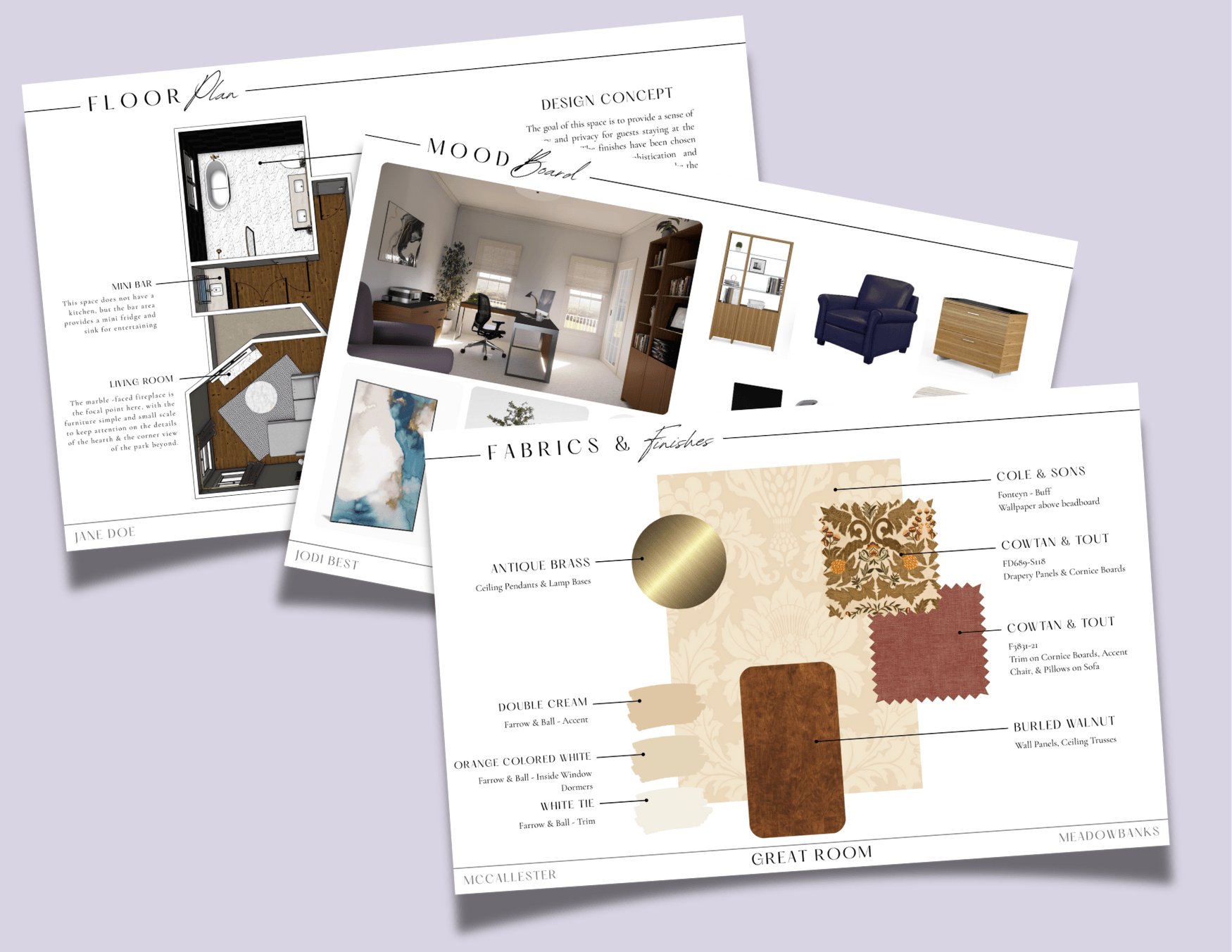
Canva Templates for Interior Design Presentations
Outsource Design Tasks and Reclaim Your Time
A Virtual Design Assistant is the perfect answer to helping you tackle all the work that gets in the way of you doing your job. A good design assistant is someone who knows and understands how the design business works, what your pain points are, and how to pick up the slack where you need help the most. They are available when you need them, and don’t get in the way or try to overtake your vision. A Virtual Design Assistant can dramatically streamline your interior design workflow.
There are many things that a Virtual Design Assistant can do for you. Here are just a few of the services that I provide through JB Artistry:
Drafting Services - floor plans, elevations, jobsite documentations and other 2D presentation materials that are needed for either client presentations or references for builders and contractors to have on site for installations.
Presentation Prep and Mood Boards - Show off your vision with details about materials, products, room spaces and more, in a streamlined, eye pleasing manner.
3D Models of whole buildings, or individual rooms - allow your clients to view and understand their buildings or spaces in 3D.
Photorealistic or Artistic Renderings - Imagery to show the beauty of your design in a way that inspires and excites your clients
Education - get focused instruction on how to use your programs efficiently and effectively in a way that suits your processes the best.
Get Your Free Interior Design Presentation Template
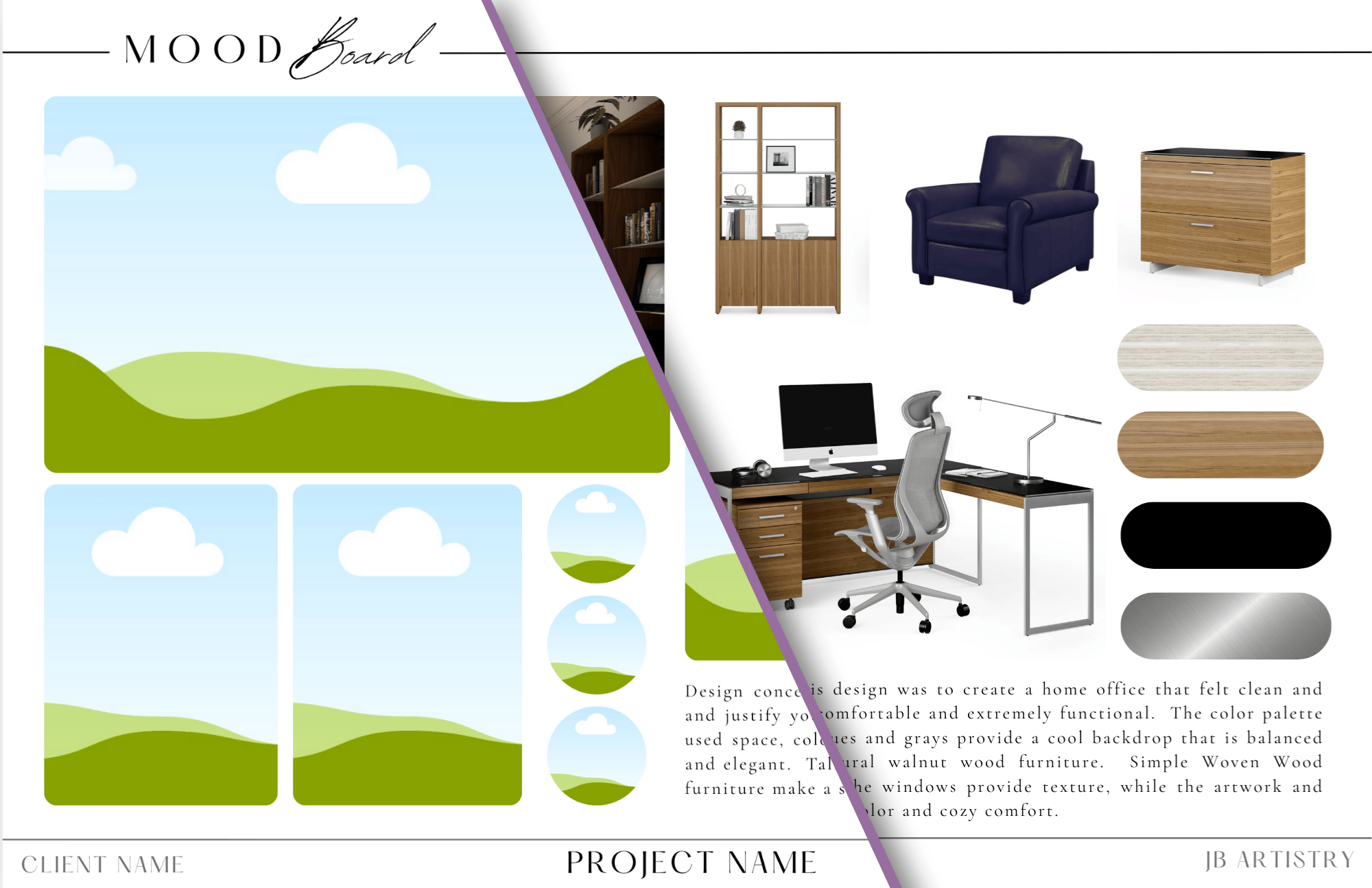
To help you save time and elevate your client presentations, I’ve created a free 3-page Canva template designed specifically for interior designers. This template gives you a head start on creating polished, professional presentations without starting from scratch every time.
Inside the template, you’ll find:
Pre-designed layouts for room images and mood boards
Sections to showcase materials, furniture, and finishes
Easy-to-edit graphics that match a professional interior design aesthetic
Whether you’re presenting to clients, sharing ideas with contractors, or updating a project board, this template will help you work faster, stay organized, and make your designs shine.
Your time is valuable, and your creativity deserves to be the focus of your work—not endless revisions, repetitive drafting, or chasing software frustrations.
By implementing simple workflow strategies, leveraging templates, and enlisting the help of a Virtual Design Assistant, you can reclaim hours each week, reduce stress, and deliver polished presentations that impress clients.
Let’s Work Together!
Are you interested in learning more about how a Virtual Design Assistant can help you elevate your business, improve client relationships, and increase profitability? Let’s chat!
Email me today to learn how outsourcing your client presentation visuals can save you time and help your designs shine. I can’t wait to connect!
JB Artistry Design Services
Here’s how I can help bring your designs to life:
Mood boards
Draft documents (floor plans, elevations, space planning)
3D room models and space planning
Artistic renderings
Photorealistic renderings
Custom furniture visualization (3D models)
Drapery & window treatment design
Design presentation boards